
Database search
A database's Search tab has two forms. Search in database is phpMyAdmin's search of the data: it counts, table by table, the rows in which some column holds your words, and links to those rows. Search objects is pgAdmin's search of the catalog: tables, columns, functions, constraints and other objects whose name contains a text.
Search in database
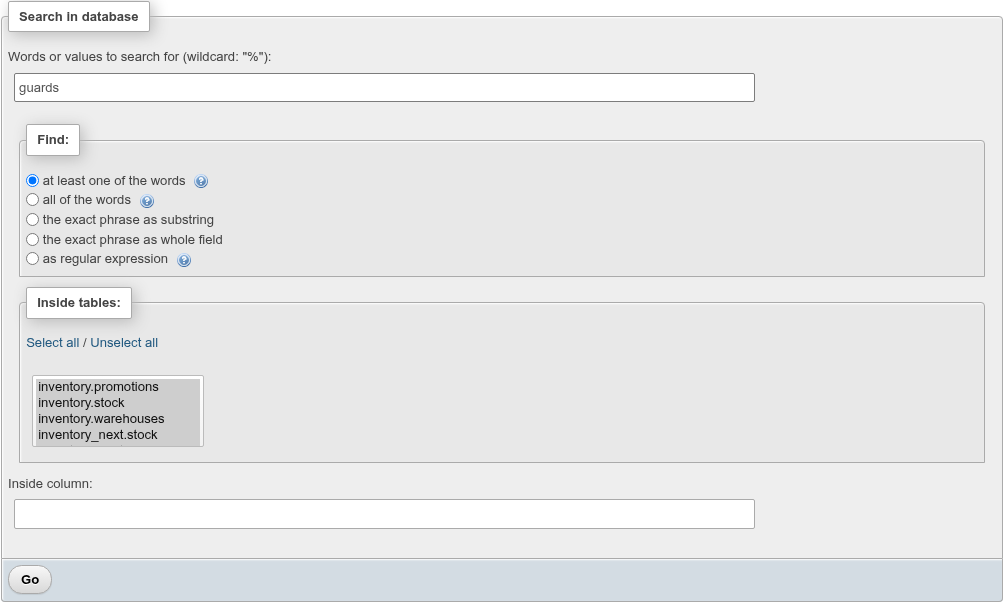
- Type the words or value in Words or values to search for (wildcard: "%"):.
- Choose how to match under Find: (below).
- Choose the relations in Inside tables:. All are selected when the page opens; Select all and Unselect all help, and Ctrl/Shift-click picks several.
- Optionally name one column in Inside column: to search only that column.
- Click Go.
| Find | Condition per column |
|---|---|
| at least one of the words | col::text ILIKE '%word1%' OR … ILIKE '%word2%', words split on spaces |
| all of the words | Each word must be in some column of the row (AND between the words) |
| the exact phrase as substring | col::text ILIKE '%phrase%' |
| the exact phrase as whole field | col::text ILIKE 'phrase' |
| as regular expression | col::text ~* 'regex' (POSIX, case-insensitive) |
Every column is cast to text, so numbers, dates, enums, arrays, JSON and composite values are searched in their text form: 2025-01 finds orders placed in January 2025 through placed_at::text. Matching ignores case, as MySQL's usual collations do. The text is compared with the database's default collation (col::text COLLATE "default"), because a column's nondeterministic collation (such as the demo's case_insensitive on customers.full_name) supports neither ILIKE nor regular expressions. % and _ in your words are LIKE wildcards in all but the regular-expression mode; there is no way to escape them.
Results
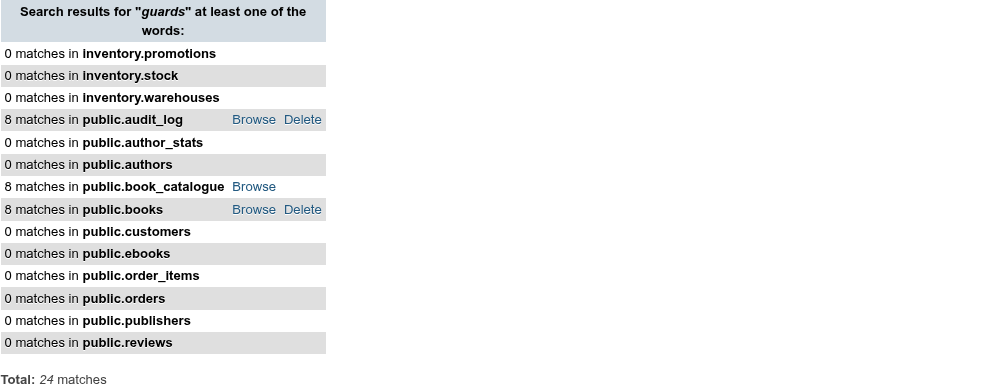
Each line gives the number of rows that match in a relation, with:
- Browse: opens the database's SQL tab and runs
SELECT * FROM "schema"."table" WHERE <the condition>there, paged and, for a table with a primary key, editable. - Delete (tables only, not views): asks for confirmation with the full
DELETEstatement, then runs it on the SQL tab. It deletes every matching row of that table.
A Total: line follows when more than one relation was searched. Relations searched for a column they do not have count 0 matches.
A relation the server cannot search shows Could not search with the server's message in red instead of a count, and the search goes on with the others: an invalid regular expression (brackets [] not balanced), a view whose query fails, or a relation you may not read.
What is searched
Inside tables lists the database's tables, views, materialized views and foreign tables, in every schema except pg_catalog, information_schema and the other pg_* schemas. Partitions are not listed: searching a partitioned table searches all its partitions. Searching a table with children by inheritance also counts the children's rows (books includes ebooks).
Cost
Each selected relation is read in full with a count(*) over every column cast to text; nothing uses an index. On a large database, select only the tables you need, or name a column. A foreign table is searched on its remote server.
INFO
Inside column: takes one exact column name (case-sensitive, not a pattern).
Search objects
Search objects finds objects of the database by name.
- Type at least three characters in Name contains (at least three characters, wildcard: "%"):. The match ignores case.
- Pick a Type of object: or leave All types. The types are schemas, tables, partitions, columns, views, materialized views, sequences, indexes, constraints (all, or primary keys, unique, foreign keys, check and exclusion constraints), triggers, rules, RLS policies, functions, procedures, trigger functions, aggregates, operators, types, domains and domain constraints, collations, the four text search object kinds, foreign tables, foreign data wrappers, foreign servers, user mappings, extensions, languages, casts, event triggers, publications and subscriptions.
- Tick Include system objects to search
pg_catalogandinformation_schematoo. - Click Go.

The result lists each object's name (a link to its page, the one the navigation tree opens), its type and its path — schema, then table for a column, index, trigger or constraint. Some objects add details in brackets after the name.
INFO
Subscriptions are left out of All types when your role may not read pg_subscription. Casts count as system objects when their OID is below 16384, the built-in range.