
Database operations
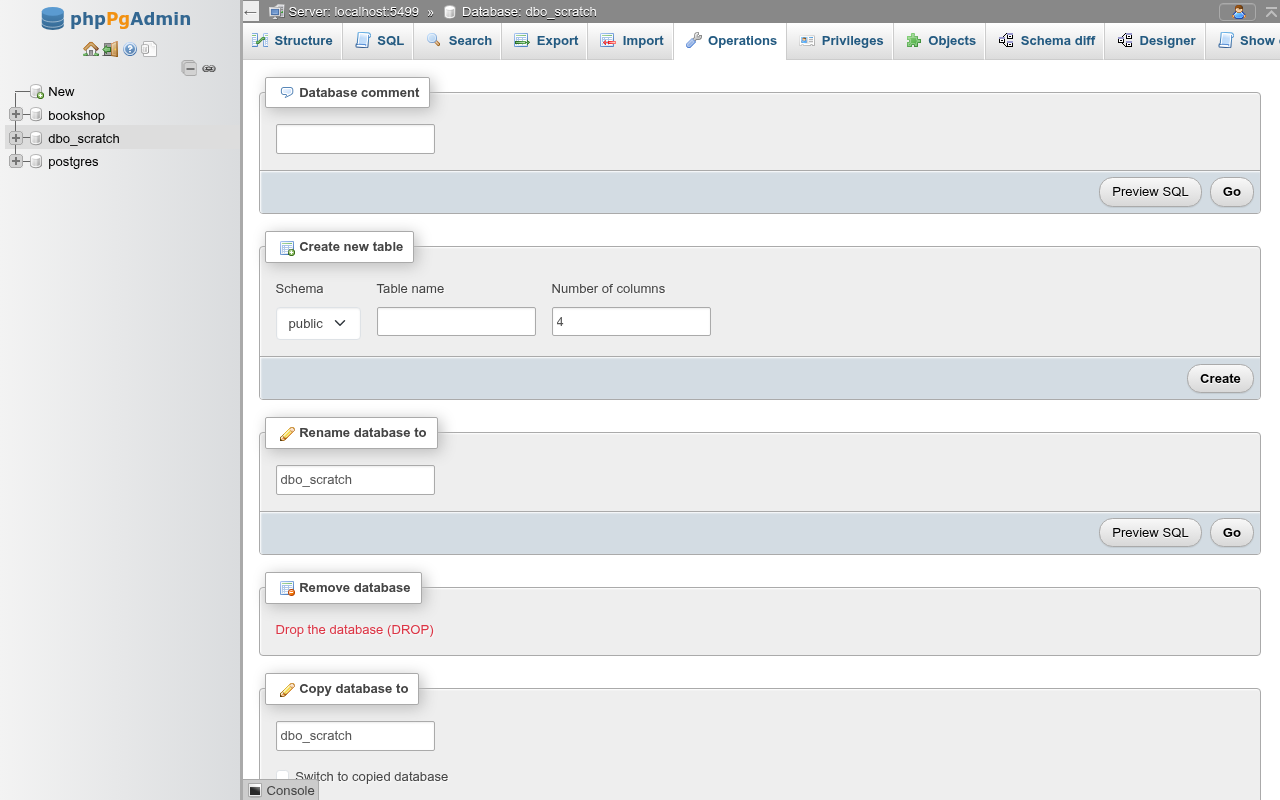
The Operations tab of a database (/db/<database>/operations) holds one card per change you can make to the database as a whole: its comment, a shortcut to create a table, rename, drop, copy, the properties ALTER DATABASE can change, the fixed encoding and collation, maintenance, and the tables with autovacuum settings of their own. The layout follows phpMyAdmin's database Operations page.
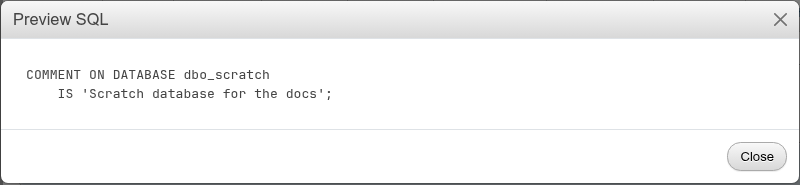
Every card that changes something has Preview SQL next to Go. Preview SQL opens a dialog with the exact statements Go would run, without running them:
If you click Go without changing anything, the page says Nothing to change. and runs nothing.
Practise on a copy
The examples on this page use a scratch database. Most of these operations lock the whole database or need it to have no other sessions, so try them on a copy before you change a database people are using.
Comment
Database comment sets the text shown in the server's database list and in \l+.
COMMENT ON DATABASE dbo_scratch
    IS 'Scratch database for the docs';
Clear the field and click Go to remove the comment.
Create new table
Create new table is a shortcut to the table creation form. Pick the Schema, type the Table name and the Number of columns, and click Create. Nothing is created yet: you land on the schema's create-table page with the name and that many empty column rows filled in.

Rename
Rename database to runs:
ALTER DATABASE dbo_scratch RENAME TO dbo_scratch_renamed;After the rename the page moves to the renamed database's Operations tab and the navigation panel refreshes.
Renaming needs the database to be idle
PostgreSQL refuses to rename a database that has any other session, with database "…" is being accessed by other users. phpPgAdmin opens a short-lived connection per request, so its own pages don't hold the database open, but anyone else's open psql, application pool or second phpPgAdmin tab running a query does. Only the owner or a superuser can rename, and the role also needs CREATEDB.
Remove database
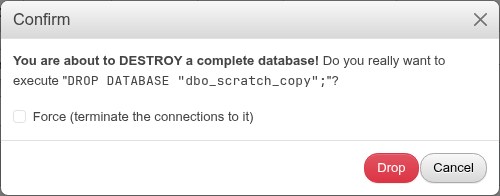
Remove database has one link, Drop the database (DROP). It opens a confirmation dialog with the statement and a Force box:
| Option | Effect | SQL |
|---|---|---|
| (default) | Drops the database if nobody is connected | DROP DATABASE IF EXISTS "name"; |
| Force (terminate the connections to it) | Terminates the other sessions first, then drops (PostgreSQL 13+) | DROP DATABASE IF EXISTS "name" WITH (FORCE); |
After the drop you land on the server's Databases page.
Open connections block a plain DROP
Without Force, a database that has another session fails with database "…" is being accessed by other users. Force ends those sessions without warning: their open transactions are rolled back. It still fails for prepared transactions, logical replication slots and subscriptions in the database.
DANGER
DROP DATABASE cannot be undone. There is no CASCADE: everything in the database goes. The database your session is signed in to (the maintenance database, usually postgres) cannot be dropped from phpPgAdmin: the request is refused before PostgreSQL sees it, even though the dialog opens.
Copy database
Copy database to makes a new database from this one with PostgreSQL's template mechanism:

- Type the name of the new database.
- Tick Switch to copied database to open the copy's Operations tab afterwards.
- Click Go.
CREATE DATABASE dbo_scratch_copy
    TEMPLATE = dbo_scratch
    IS_TEMPLATE = false;
The copy gets every schema, table, row, function and extension of the source, with the source's encoding and collation. You become its owner.
The source must have no other connections
CREATE DATABASE … TEMPLATE copies the files of the source directly, so PostgreSQL refuses while any other session is connected to it:
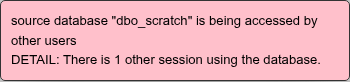
phpMyAdmin copies a database table by table and works while it is in use. Here, close the other sessions first (the Status page lists them), or copy with Export and Import.
What the copy leaves behind
A template copy does not carry the source's database-level properties: its comment, its GRANTs on the database and its ALTER DATABASE … SET settings stay with the source. Set them again on the copy, or read them from the source's Show create tab.
Collation version mismatch
Since PostgreSQL 15, if the source was created with an older operating-system collation version (after a libc or ICU upgrade), PostgreSQL refuses to use it as a template. phpPgAdmin then shows the recorded and current versions and offers to run ALTER DATABASE … REFRESH COLLATION VERSION on the source and copy again. Refresh only after you have reindexed the indexes on text columns, or they can return wrong results.
Parameters
Parameters lists the settings the database gives its sessions (pg_db_role_setting): each row's name, value and role, (all roles) for ALTER DATABASE … SET or one role for ALTER ROLE … IN DATABASE … SET. Add parameter adds a row, with the setting names suggested; Remove takes one away, which runs RESET. Preview SQL shows the statements, Go runs them:
ALTER DATABASE dpt_library
    SET work_mem TO '8MB';
ALTER ROLE library IN DATABASE dpt_library
    SET statement_timeout TO '30s';
The settings apply to new sessions only. Show all settings (SHOW ALL) runs SHOW ALL in the database on the SQL tab, the values a session there starts with.
Database properties
Database properties changes what ALTER DATABASE can change after creation:
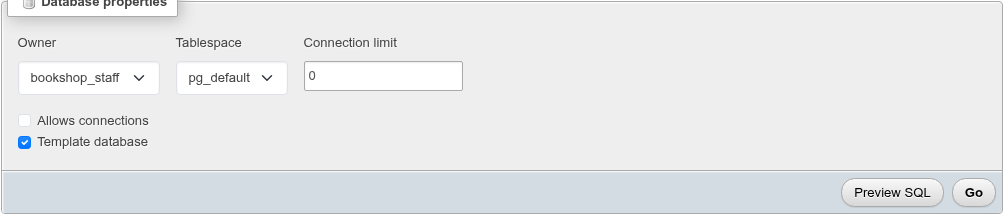
| Field | What it does | SQL |
|---|---|---|
| Owner | The owning role | ALTER DATABASE d OWNER TO role; |
| Tablespace | Moves the database's default tablespace, and the objects in it, to another tablespace | ALTER DATABASE d SET TABLESPACE ts; |
| Connection limit | Most concurrent connections; -1 for no limit, 0 for none | ALTER DATABASE d WITH CONNECTION LIMIT = n; |
| Allows connections | Unticked, nobody can connect (as template0) | ALTER DATABASE d WITH ALLOW_CONNECTIONS = false; |
| Template database | Ticked, any role with CREATEDB may copy it, not only the owner; a template cannot be dropped | ALTER DATABASE d WITH IS_TEMPLATE = true; |
Only the fields you changed are sent. Changing all of them at once gives:
ALTER DATABASE dbo_scratch OWNER TO bookshop_staff;

ALTER DATABASE dbo_scratch WITH IS_TEMPLATE = true;

ALTER DATABASE dbo_scratch WITH CONNECTION LIMIT = 0;

ALTER DATABASE dbo_scratch WITH ALLOW_CONNECTIONS = false;
Tablespace moves
SET TABLESPACE copies the database's files and needs the database to have no other sessions; it runs on its own, outside a transaction. The list also offers pg_global, which PostgreSQL rejects with pg_global cannot be used as default tablespace. Tablespaces are created on the server's Tablespaces page.
Locking yourself out
A connection limit of 0 or unticking Allows connections stops new connections to the database. Tabs that work inside the database then fail; with Allows connections off, the Structure tab shows database "…" is not currently accepting connections. The Operations tab still loads, because it alters the database from the maintenance connection, so you can change the setting back there. Superusers are not counted against the connection limit, but Allows connections applies to them too.
Encoding and collation are fixed
The Collation card shows the Encoding, Collation (LC_COLLATE) and Character type (LC_CTYPE) as text. PostgreSQL sets them when the database is created and cannot change them. To change them, create a new database with the settings you want on the Databases page and move the data over with Export and Import.
Per-database settings
There is no form for ALTER DATABASE … SET parameter, such as a default search_path or work_mem for one database. Run the statement in the SQL editor; the setting then shows on the Show create tab.
Maintenance
The Maintenance card runs VACUUM, ANALYZE, REINDEX or CLUSTER on the whole database as a background process, with the options your server supports. It is described on the Maintenance page.
Autovacuum settings of tables
The last card is the classic phpPgAdmin's Admin → Autovacuum page: every table and materialized view of the database, in any schema, that has autovacuum settings of its own (autovacuum_* in its storage parameters, or toast.autovacuum_* on its TOAST table), with the settings listed:
| Schema | Table | Settings |
|---|---|---|
| public | av1 | autovacuum_enabled=false, autovacuum_vacuum_scale_factor=0.05, toast.autovacuum_vacuum_threshold=100 |
Edit opens the table's Operations tab, whose storage card changes them. Remove custom settings asks, then resets only the autovacuum parameters, leaving the others (fillfactor, for example) as they are, so the server's settings apply to the table again:
ALTER TABLE public.av1 RESET (autovacuum_enabled, autovacuum_vacuum_scale_factor, toast.autovacuum_vacuum_threshold);With no such table the card says so.